Showing posts with label Technology. Show all posts

Wednesday, September 14, 2022

Apologies

 To those whose blogs I follow: The only internet I have most days is via cell phone and even though I am signed in to post this, Google insists that I sign in to post comments on other blogs. Then tells me that I am unable to sign in to comment. I have little patience to try and figure out a workaround. 

I will just say that the ocean beckons me and life here is too short. I am aware of the Queen’s passing and check in on the political news and your blogs. We will be here for another week and then a week of visits and travel before getting back to New Mexico. 

Today promises to be a perfect beach day so we are off to Herring Cove. Unfortunately my bum knee won’t take me all the way to Boys Beach. But any beach is better than no beach. 

Ciao, tutti!

Sunday, July 31, 2022

Technology: Love It or Hate It

LOVE IT:

 There is a cool FREE app I have on my iPhone that I don't use as much as I could. 

It's called "Radio Garden" and it can tune into radio stations all over the globe. My personal favorites are, of course, Bossa Nova and Samba from Brazil and Smooth Jazz from anywhere, and Italian radio. I've listened to several other genres and stations here and there around the world.

It really is pretty remarkable technology. 


If you are not connected to internet you will use phone service data of course but I cannot find any definitive info about the exact amount of data streaming Radio Garden will use. 

The best estimate I've found is just under 1MB per minute or 60MB per hour. (To be honest, I don't really know what that means, but I guess it's not too much unless you are listening for hours a day). If you are connected to the internet you don't have to worry about using your phone's data plan.

Install and open the app and spin the globe to a location you're interested in and let the app tune into a station. You can spin the globe at any time to try another station and you can save stations you like in order to return to them easily.


It's pretty cool, I'd say.

HATE IT:

I don't know what Google or Apple or Blogger has done but the look of Blogs on my iPhone has changed.  It was very annoying and frustrating as I find almost any change these tech companies throw out unannounced to be crazy-making and I think purposely done to make some of us feel stupid. 

Frustrations continued until I discovered the toggle switches which were new or which I had never noticed before - because I had no need to.

There is now an option for "Reader" which not only changes the appearance of the website but also seems to prevent viewing comments or making comments on certain blogs using Disqus. (Such as Joe.My.God news blog which highlights news articles especially those that pertain to political and LGBTQ news). 

You can turn the "Reader" on or off - (and for some reason "on" seemed to be the  new default setting) but I think "off" is preferable as it returns things to familiar format.

HATE IT:

Again on the iPhone - I cannot comment as "me" on blogs that I follow using my iPhone. It allows me to comment as "anonymous" and prompts me to sign into my account. Even when I am signed in I get the same thing. This is true even when I try to reply to a comment a reader has made on my own blog! I cannot add a comment on my own blog using my identity/profile - only as "anonymous".


And I clicked on "Learn more" just for fun


I "checked my browser configurations" (as best as I could figure out), I have gone into settings on the iPhone and on Google but can't seem to find a way around this. So frustrating! Especially as I used to be able to post comments as "me" using the iPhone. Why has this changed?

I just don't get how or why things change for no apparent reason. Why do they have to fix what ain't broke?

Just an aside from a meme I read recently regarding comments on blogs: Do you get the irony in the fact that a computer is asking humans to prove they're not robots?

HATE IT:

The screen shot is visible - in reality it's actually so dark it looks black depending on the ambient lighting

Again with iPhone. I am not a patient person. Occasionally I inadvertently swipe the screen and a different screen will pop up. The other day I did that and the control screen popped up. I got impatient and went to swipe it down and instead swiped down the brightness. Given the ambient outdoor light the entire screen appeared black and I could not see anything. "Take a breath, Frankie," OK, I realized what I had done and had to go into contortions to see the very faint image of the control screen so I could swipe the brightness up. I swear they make these things purposely to drive us mad. 

OK, maybe it's just me. 

Thursday, June 30, 2022

RANT - Verizon Sucks

 Where we live, Verizon is our only option. Otherwise I would change phone service immediately.

1) Checking our phone bill it seems we've been paying a $25 a month fee for "Device Protect" an insurance policy that we don't want or need (and which is probably worthless if one had a claim). How this ever got onto the bill I don't know but I can guess: Some Verizon salesperson snuck it into our plan because he/she/they got a nice commission for every "Device Protect" plan they could sneak into a customer's plan. Yes, it's our fault for not catching this sooner. I deleted it to save $25/mo. ...

Oh. but Verizon is adding a NEW FEE of $12 per month for increased costs!!!!!

2) My credit card informed me to update any vendor with whom I have automatic charges with the new expiration date. Piece of cake. NO. 

I called Verizon customer service. Verizon recognized my phone immediately. But I still had to go through several hoops but finally got a rep. She took the new information - SHE TOOK THE NEW INFORMATION - but then said I would have to verify it or verify something and I should check my text message to click on a "link" sent via text message to my phone.

I was already exasperated but did so. I clicked the link. The link then initiated a "Verification CODE" that was needed to complete the change to the credit card info...which was sent via text TO MY HUSBAND'S PHONE! He is currently at work, out in the wilderness somewhere checking trails and campsites.

Verizon SENT THE LINK TO MY PHONE ----- BUT THEN SENT THE VERIFICATION CODE TO MY HUSBANDS PHONE (because the primary account is in his name) ---- I cannot fathom how stupid  and criminal this phone company is.

THE WORLD HAS GONE MAD AND I'M ABOUT TO ALSO!


Tuesday, January 26, 2021

New Photo Format HEIC on iPhone????

 Just a note for Russ in case you didn't see my reply:

1) for some reason I cannot reply to individual comments


2) My camera is my iPhone SE 2nd generation which I recently purchased because I was having issues with my old phone.


3) the other "new" issue is that sometimes the photos taken with the new iPhone are JPEG and sometimes have a new format called HEIC (High Efficiency Image File) whatever that is. I don't have clue why some photos are in one format and some are in the other...if in HEIC format, I have to convert them to JPEG in order to upload them to the blog ....just more steps and hoops. 

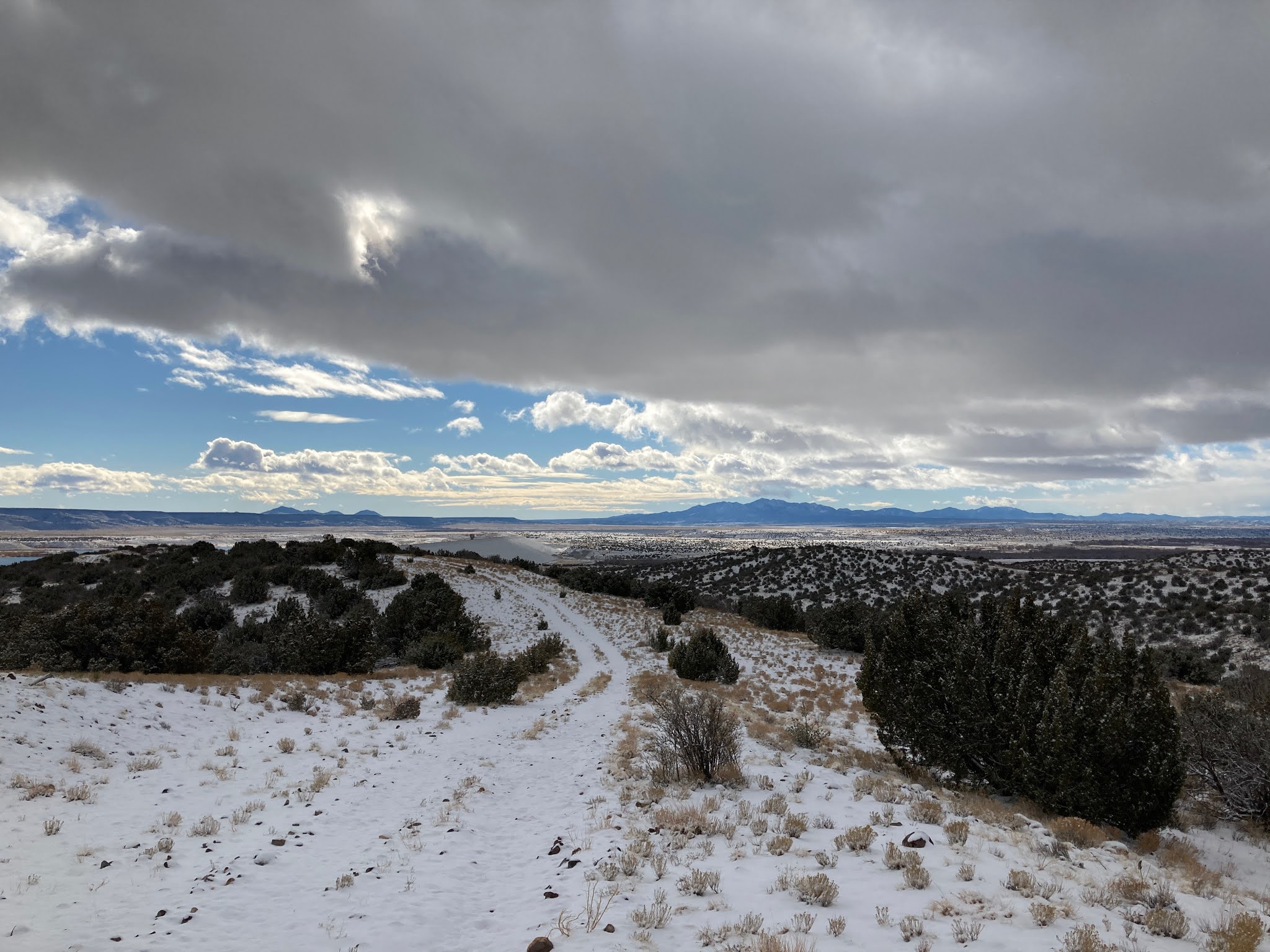
Anyhow this was from today's hike around the trails in our town, Cochiti Lake.


Our Little Town


Saturday, March 14, 2015

But Is There A Vaccine?

This explains a lot about how we are all becoming infected by internet viruses - and I don't mean the ordinary "computer" viruses that McAfee and Norton can fight off.

I found this little video to be an interesting demonstration of how we can be influenced and manipulated by ideas and ideologies and by our own emotions and biases; and it explains, in part, why we, as humans feeding on the internet for information, are so polarized.


My question is, seriously, "Is there a vaccine?"

Thursday, December 18, 2014

"DAVE" or "Those Pesky Security Questions"


Can somebody please tell my why some Russian school kid can hack into the CIA or Bank of America and the North Koreans can read everyone's emails at SONY, but my 76 year-old neighbor lady cannot get ATT.net to tell her what her own email password is?

My good friend Dottie (whose dog Katija is our dog Benni's bff) decided to finally get an iPod. Partly because we told her how easy it would be just to do email and internet stuff.

Dottie doesn't do much with technology and her old laptop is a bit of a clunker, so she thought it was time to get modern. Leon and I said we'd help her. We assured her it would be a piece of cake to get going. We do Apple stuff all the time.

So we all go off to the Apple Store at the mall and she picks out an iPod, not the top of the line, but a modest iPod with everything she could possibly use and more.

What Leon and I did not take into consideration is that Dottie does not remember her email password because she never had to actually use it once her Windows email client was configured.

Dottie doesn't recall ever having or using a password for email. But she does have a few passwords scribbled in her notebook next to things like Amazon and Ebay.

We tried each of those at the Apple Store with the Apple Tech who helping set up the iPad. No, that's not it. Tried it with an uppercase letter. No, that's not it. Tried a different spelling. No that's not it.

The geek who set up her Windows computer must have either made up a password and never told her or she never wrote it down. He obtained her password and programed it into the Windows email client. She never had to access email directly and so never used her password.

Of course, there are ways to obtain your password if you forget. Just go into Yahoo or ATT.net and follow the prompts.

So over approximately an hour and a half at the Apple Store we did:

Enter your USER ID.

Type in: email address

ATT.net: For security purposes please answer the following questions:

ATT.net: What was the name of your first pet?

Dottie: Well, it could have been Tiger.

Type in: tiger

ATT.net: What was the farthest place you've ever traveled to?

Dottie: Well, I went to Budapest last year.

Me: No, Dottie, it has to be a place you would have answered when you set up your email years ago, not last year.

Dottie: I never answered any questions like this.

Me: Well, You used to live in Germany, so lets try Germany.

Type in: germany

Enter SUBMIT

ATT.net: Sorry, the answers you provided don't match those we have on file.

Start over. USER ID

ATT.net: For security purposes please answer the following questions:
               What was the name of your first pet?

Type in: tiger

Dottie: I think maybe I spelled tiger with a Y.

 Backspace, type in: tyger

ATT.net: What was the farthest place you've ever traveled to?

Me: You lived in Munich, didn't you?

Dottie: Yeah, Munich and Berlin, and some other places.

Type in: munich

SUBMIT

ATT.net: Sorry, the answers you provided don't match those we have on file.

Another attempt:

ATT.net: What was the name of your first pet?

Dottie: Maybe I should use Blacky. He was my first dog, Tyger was a cat. Blacky had been scribbled in Dotties notebook so maybe Blacky is the key.

Type in: blacky.

What is the farthest place you've ever traveled to?

Me: OK, let's stick to Germany.

Type in: germany.

Sorry, the answers you provided do not match those we have on file.
You have made three failed attempts to retrieve your password. 
For security reasons your account will be locked for one hour. Please try again later.

For further assistance you may access ATT Live Chat.

Me: Let's try the live chat.

Enter your USER ID.

ATT.net: Hi, Dorothy,  this is Shamantha. For security purposes can I have the 10 digit account number associated with your email account.

Type in: area code and phone number

Shamantha: Thank you, how can I help you?

We explain Dottie's dilemma.

Shamantha: I think I can help you retrieve your password. I'll just need you to answer a few questions for security purposes.

Dottie: OK

Shamantha: Who is your favorite singer?

Aside: Dottie: I don't know. Me: Didn't say you love Cher. Dottie: Yeah, Cher.

Type in: Cher

Shamantha:I'm sorry that is incorrect.

Dottie: It's been years since I used my password and I don't remember answering any questions like this. I type in what Dottie just said.

Shamantha: I can give you a hint. It begins with D.

Aside: Dottie: I don't even like music or singers. Me: What about Donna Summer? Dottie: Who's that. Leon: Donny Osmond? or Dean Martin? Dottie: None of them.

Figuring Dean Martin is closer to Dottie's generation I type in Dean Martin.

Shamantha: No, I'm sorry that is not the answer we have on file.

Type in: What do we do now?

Shamantha: I can give you a phone number for ATT.net support.

Condensed version of what happened the following evening when we again attempted to help Dottie get her password:

We dial the number Samantha gave us: This is Barbara at ATT.

She asks for a 10 digit account number for security purposes. She asks how can she help. Dottie explains her dilemma. Barbara says ATT no longer handles support for internet, that is now Frontier. She gives us the number. That number is no longer in service. We call back the first number. We finally get a working number and get in touch with Frontier and they transfer us to ATT because they don't have passwords for ATT.net accounts. ATT sends us back to Frontier. Frontier says maybe we should try getting support from Yahoo because Yahoo handles ATT.net email.

We go on Yahoo and type in USER NAME.

Then click on Forgot Password.

Please type in your USER NAME

The security page for ATT.net pops up

For security purposes please answer the following questions:

What was the name of your first pet?

Me: let's try tiger again

Type in: tyger.

What is the farthest place you've ever traveled to?

Me: OK, let's stick to Germany.

Type in: germany.

ATT.net: Sorry, the answers you provided do not match those we have on file.
You can access Live Chat for further assistance

Needless to say, Dottie still has not configured her email account on her new iPod. She really doesn't want a NEW email address as all her contacts have the current one.

Now on an Apple computer there is a thing called Keychain. You can go into Keychain - provided you have the master password - an see all the passwords for all the accounts and websites that you've signed up for. I have no clue how or even if you can do that on a Windows computer. Dottie will get in touch with the geek guy who set up her laptop computer several years ago. Maybe he knows.

His name is Dave.

Last night as I was lying in bed, I had the devious thought that Dave is the key:
I bet he answered all the security questions himself:

What was the name of your first pet?
"DAVE"

What is the farthest place you've ever traveled to?
"DAVE"

Who is your favorite singer?
"DAVE"


Sunday, December 29, 2013

Mystery Solved?

Looks like Google+ has been toying with photos that I uploaded to Blogger. They've created "Auto Awesome" photos and slide shows as a "gift" to me (and you, too, probably).

So somehow this photo that I posted and chose because it happened to just "be there" when I was trying to do a blog post from my phone, had been previously manipulated by Blogger/Google to have snowflakes. And there you have it.

UPDATE: After some Googling I find that this happens through the Google+  and I thought the App must be on my iPhone, but it is not available for the iPhone, so it must have been done through my Google+ account???? Apparently you can't actually control the final product, Google does it for you.  Go figure.

Here is a video "gift" Google+ made from random photos from my various blogs:


So Russ, you, being on Blogger, are not immune from the Borg. You are just unaware of its power over you. Just stay away from those evil smart phones....

Tuesday, December 10, 2013

Technology: You Can Bleed To Death If You're On The Cutting Edge - OR - The Rebel vs Technology - OR - This Is Not Walden Pond But We Do Grow Christmas Trees

I don't handle change well.

A few weeks back Leon and I decided to buy a new stove. He says because I like to cook that I should have a decent stove. I'd been putting it off for years because I was turned off by the electronics that are a part of almost all new ranges. My old gas stove was from the Sears Dent-and-Scratch Store.

It had dials. On, Off. Oven On, Set the temperature, Cook, turn Off. Simple. It had pilot lights. When the power was out for a week we were able to use the cooktop and the oven.

The new ones need 110AC to operate the oven.

I used the new stove to cook Thanksgiving Dinner for the family. It was OK. But I have a few observations.

The new stove is a Samsung. Now, don't they make computers? And Smart Phones? My question is why can't they make a smart stove?

The other day I turned on the oven to preheat. Several minutes later, I find the oven cold. Well, Samsung made it so when you push the "Oven" button and set the temperature, you then have to press "Start". Well Duh. If I turn on the oven, I guess I want it ON.

Then, if in the course of cooking you want to change the temperature, you have to turn the oven Off by pressing "Cancel" and then set the new temperature and then press "Start". Way too many steps for a simple task. Why is there no Up/Down button for the temperature? That would make too much sense. Maybe they are afraid someone would "accidentally" change the temp, so they made it fail safe????

Oh, and when you light the burners you have to make sure you stop the dial at the point where the electronic ignition will spark. Now I was used to turning the gas all the way up, waiting for the pilot to fire the burner and then usually start cooking on high anyway. The other day I went through the old motion out of habit, was surprised for a minute that the burner didn't light then remembered to turn the dial back to ignite. Whoosh boom the gas ignited. If I had waited any longer I could have been toast. Ugh!

But OK, I guess I'll get used to it.

Then we decided to got a bit further into the technological world.

My antique cell phone finally bit the dust. Reception had become sketchy, the battery would barely last long enough for one uninterrupted phone call and the window was so scratched up I couldn't make out the display.

So Leon and I went down to the AT&T Store last Saturday and I decided to enter the 21st Century and get an iPhone. The 5c in White plastic. We've been on a family plan or whatever forever and so the upgrade wasn't too outrageous. Especially as I did not opt for any texting and took the lowest data plan. I can use wifi hot spots for free. And we got a "good" 2-year (iks!) contract deal on U-Verse internet and TV -including $100 toward our cancelation of Direct TV, a faster internet connection than the AT&T DSL, a rebate in the amount of the $99 I paid for the phone, waived installation fee and a free phone case. OK, so AT&T is not feeling any pain in this deal but the bottom line for Leon and me is the new deal is less than we were paying for Direct and DSL.

I absolutely love the iPhone. It is a toy that I find fascinating and entertaining. I can speak to Siri and she will find out stuff and dial numbers and write my email and spell it correctly too. I don't have to carry a camera, and there are so many things it can do, I couldn't begin to tell you. I can do blog posts, listen to music, there is a calendar, notes, GPS, Flashlight, Swiss Army Knife. OK, so I'm kidding about the Swiss Army Knife.

So all was well with that.

Yesterday we had U-Verse installed. Let me just say that when the robo-voice at AT&T says, "Thank you for choosing AT&T" my response is always "Yes, most reluctantly". I didn't choose AT&T when they took over our local phone company and now, well I haven't been impressed with them in any respect.

I teach computer courses at the senior center and we use Yahoo mail. They, AT&T Yahoos, changed the interface so many times it is now about as anti-intuitive as you can get. The instructor teaching this round of classes is exasperated and he is a computer professional. The senior center also upgraded (?)  to Windows 7. My frustration with Yahoo is exacerbated by Windows 7 - what Yahoos designed this lame operating system?

Personally my experience with AT&T/Yahoo is just as frustrating when I occasionally go in to check my spam folders. Sign in on Yahoo, sign out and try to sign in again as a different user and each sign-on screen is different. I tried to disable a never used email address and was redirected to three different pages and had to sign in with my user name and password each time. I started at Yahoo and ended up at AT&T; U-Verse got into the act too at some point. AT&T has an identity problem: are they AT&T, Yahoo, U-Verse, or what.

Anyhow, U-Verse is installed; the internet connection is faster (6.0+) but not near the 12.0 ("up to" as AT&T promised).

The TV also does not allow for more than two TV's or one TV and one recording in HD at a time. AT&T NEVER tells you this. They don't exactly address the issue, so they don't directly mislead the consumer. Record up to 4 shows at once - but NOT all in HD. And, Oh it depends on your distance from whatever and the lines, and and and...

We got an error message on the TV that directed us to call AT&T support. We were on the phone for quite some time and she had me registering a new account on the AT&T website, a new user name and temporary password; I had to change password and the passwords I chose were rejected and she didn't know why as they all met the "criteria". Then there were "security questions". Like AT&T website is a Bank and someone might get into my account and withdraw 3 million dollars or something!!!!! What BS.

Well in my opinion, AT&T is good at leading consumers to believe they can deliver more than they are really capable of. "You can watch or record "UP TO" four separate shows" but not necessarily all in HD.  We can piss and moan about the remote, the guide, the way stations are listed, etc. etc.

We just don't do CHANGE well.

Last but not least, when they set up the U-verse, of course the printer couldn't connect wirelessly. I thought I knew how to reset it, but I got off track and deleted then reinstalled the drivers and software. I inadvertently missed one crucial software packet. I called Canon Tech Support.

The tech guy walked me through - actually we ran through at a good pace; once he identified the software that was missing I was a step ahead of him all the way. The printer was up and running in no time. The tech was knowledgeable, clear, logical, anticipated each step, and was above all HELPFUL.

AT&T could use a lesson from Canon on customer service.

*********************************

And just a little something for the season. We have a hillside full of small evergreen trees that I have planted over the years.

There was a pair of Siamese Twins - two trees fused into a single trunk as seedlings and I decided that one would be cut down to let the other develop fully; the one that I cut will be our Charlie Brown Tree this year.

This Year's Charlie Brown Tree
And today we got our first real snow of the season...not as bad as some places.


So that's my story of cutting edge technology. And Walden Pond looks better and better.  Nature is, when all is said and done, where I feel most at home and at peace.

So Leon and I took a walk in the woods with our dog Benni. It was so quiet with the new snow muffling any sound. It was peaceful and healing to get away from the technology and hassles of modern life... away from the stove, the U-Verse, the TV, the computer...but I did bring my iPhone. Never know when you might encounter a big hungry bear...hum.


LinkWithin

Related Posts with Thumbnails